Sleep
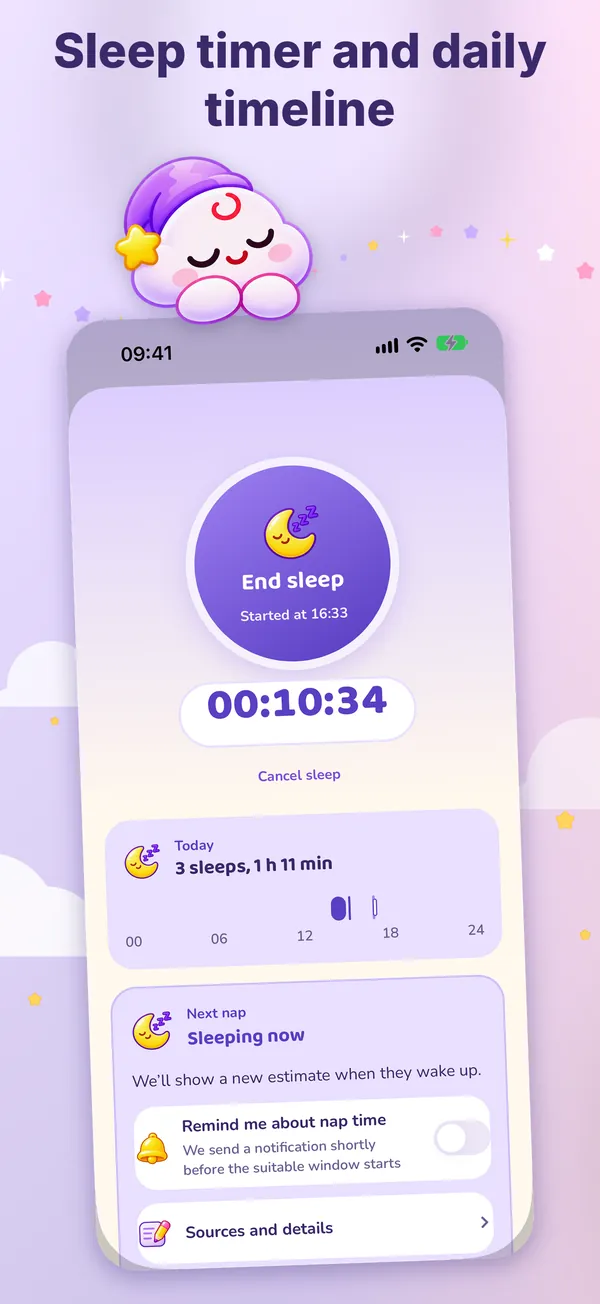
Start the timer and stop it when your baby wakes up. The next-nap estimate starts from age-based ranges and adapts to your baby’s own wake windows after a few days.
 Little Cloud
Log sleep, feeding and diapers with one hand and a few taps. Let Little Cloud take care of the rest.
Six screens, one sky. Swipe to see them all.
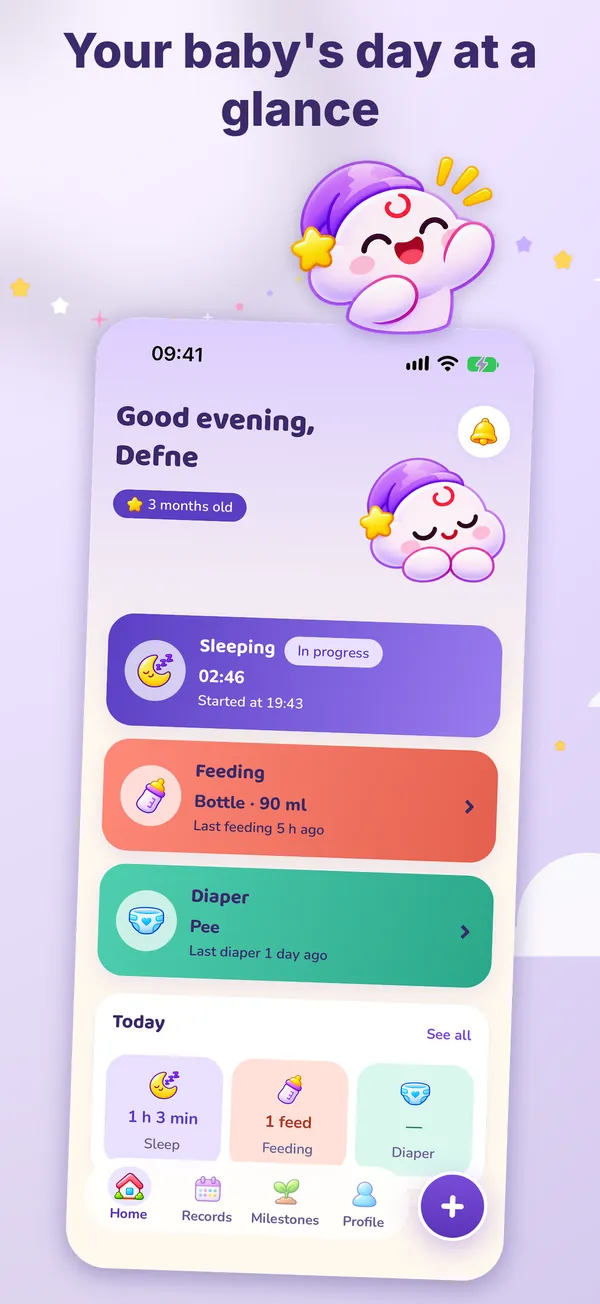
Every record type, reminders and the full history are free.
Start the timer and stop it when your baby wakes up. The next-nap estimate starts from age-based ranges and adapts to your baby’s own wake windows after a few days.
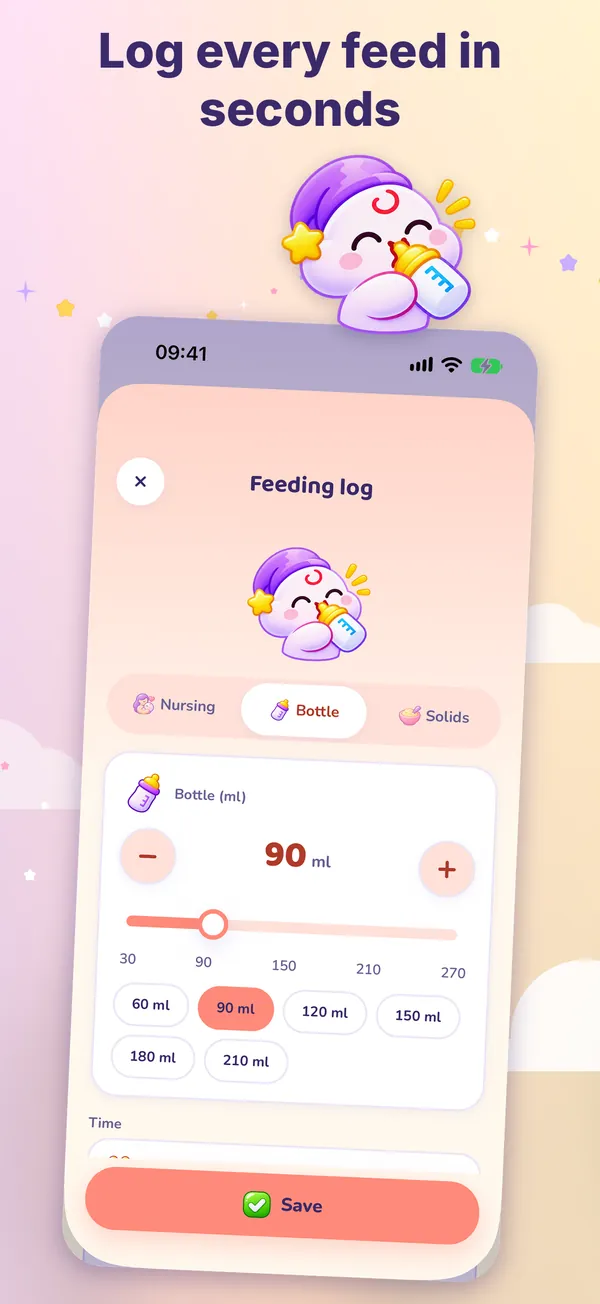
Track left and right breast separately, pick a bottle amount quickly, note what your baby ate and how they reacted.
Log a diaper in seconds. For twins and siblings, save one record for both.
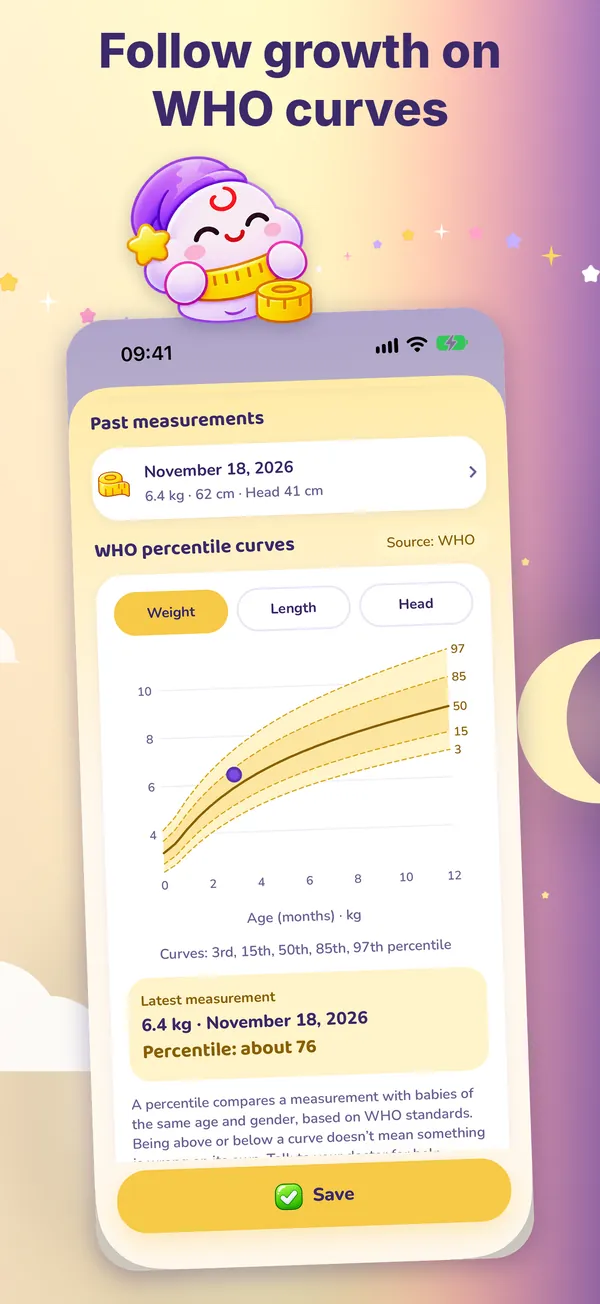
Follow length, weight and head circumference on WHO percentile curves. Corrected age for babies born early.
Medicine, temperature, doctor visits and vaccines in one place. Set reminders for a time, an interval or counted from the last record. Have your doctor confirm vaccine dates.
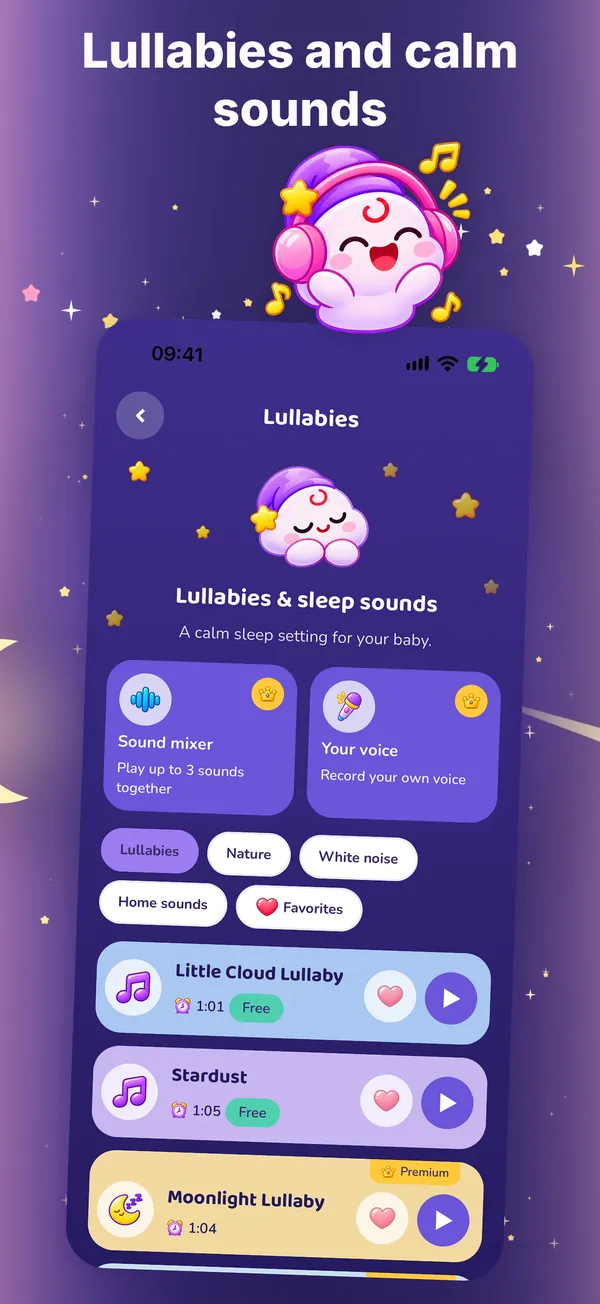
Lullabies, white noise, nature and home sounds. The sleep timer is free for everyone.
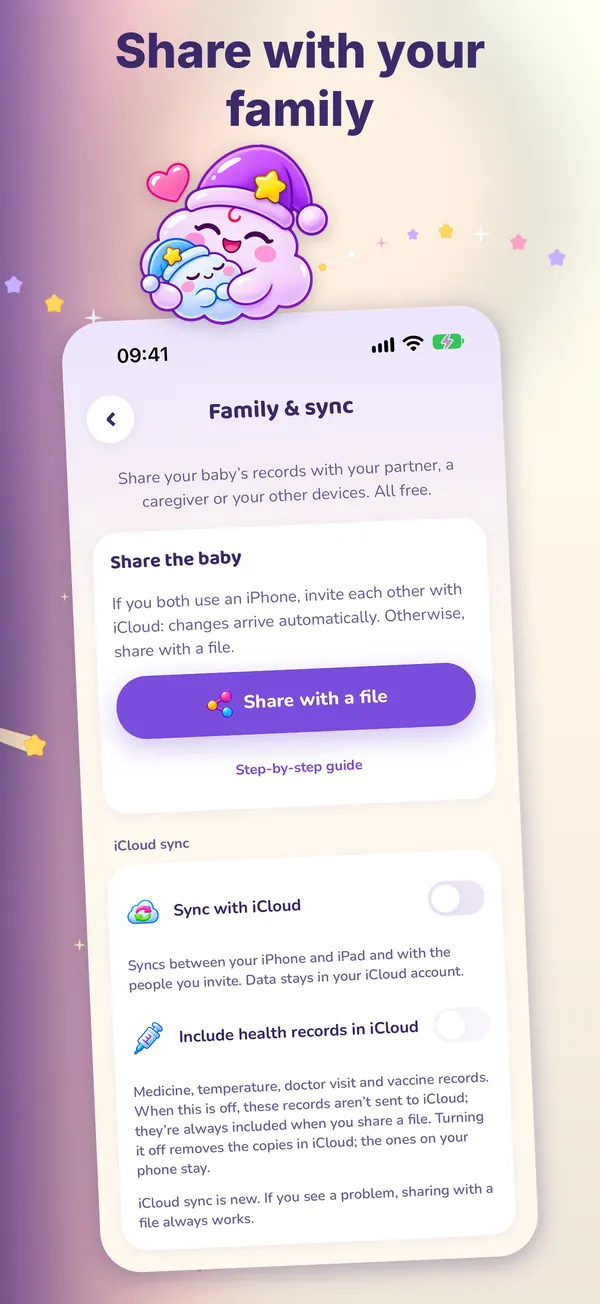
Your partner, a sitter or grandma can see the same baby on their own phone: with iCloud or a share file.
Log from your wrist with one tap. Home Screen and Lock Screen widgets; a running timer shows in the Dynamic Island.
A PDF report for checkups, a caregiver summary of the day and a CSV export of every record.
Lullabies, white noise, nature and home sounds. Each lullaby’s source is listed on its detail screen. The sleep timer is free for everyone.
Premium only adds extras. Nothing you need for daily care is locked.
Only the yearly plan starts with a 7-day free trial. Prices are in US dollars and may vary by country. Subscriptions renew automatically unless canceled at least 24 hours before the renewal date; manage or cancel in your store account settings.
Little Cloud has no server. We don’t collect the records you enter.
Open the app and start. There is nothing to sign up for or sign in to.
Your information leaves your device only if you turn on iCloud sync (to your own iCloud account) or share a file yourself.
There are no ads in the app.
“Delete my data” in Profile permanently removes the records from this phone.
The app is available in these languages.
No account is needed. Go to Profile → Family & sync → Share with a file and send the file by WhatsApp, email or AirDrop; open it with the app on the other phone and merge. On iPhone and iPad you can invite with iCloud instead.
Little Cloud has no server, so a backup is a file you keep yourself. Open Profile → Reports & backup → Back up & restore and tap “Create backup file”. On a new phone use “Choose backup file” in the same place.
Deleting the app does not cancel a subscription. On iPhone and iPad: Settings → your name → Subscriptions → Little Cloud → Cancel. Cancel at least 24 hours before the renewal date to avoid the next charge; you keep Premium until the end of the period you paid for.
Open the Premium screen and tap “Restore purchases”, using the same Apple Account that bought the subscription. You don’t need to sign in with us.
Reminders are local notifications scheduled on your phone. Check that notifications are allowed for Little Cloud in system settings and that battery saving or Do Not Disturb isn’t blocking them. For medicine, vaccine and appointment times, don’t rely on the app alone.
No. Little Cloud is not a medical device and its content is general information; it does not replace a doctor. For any question about your baby’s health, talk to your pediatrician; in an emergency call your local emergency number.